If your Honeywell thermostat screen is blank, check the two AA batteries before anything else. Dead batteries are the single most common cause, and swapping them fixes it without a service call. If fresh batteries don’t bring it back, the next suspects are a tripped breaker, a blown low-voltage fuse on the furnace control board, or a loose wire at the backplate, roughly in that order. Here’s how to work through a blank screen, a stuck “Cool On” display, a proper reset, and the point where it’s time to stop and call someone.
Honeywell blank or no-cool: power first, then wiring
Replace batteries if the model uses them. Check the HVAC breaker and float switch. Do not assume the Honeywell app equals a running compressor. Climate Pros SD is not Honeywell support. Older San Diego homes often lack a C-wire that Wi-Fi Honeywell models need.
Checklist
- Photograph the backplate terminals if you already have the face off.
- Confirm Cool mode and setpoint.
- See thermostat not working.
- See smart thermostat not cooling.
- Use thermostat installation.
Related: HVAC symptom finder and AC repair.
Why your Honeywell thermostat screen is blank
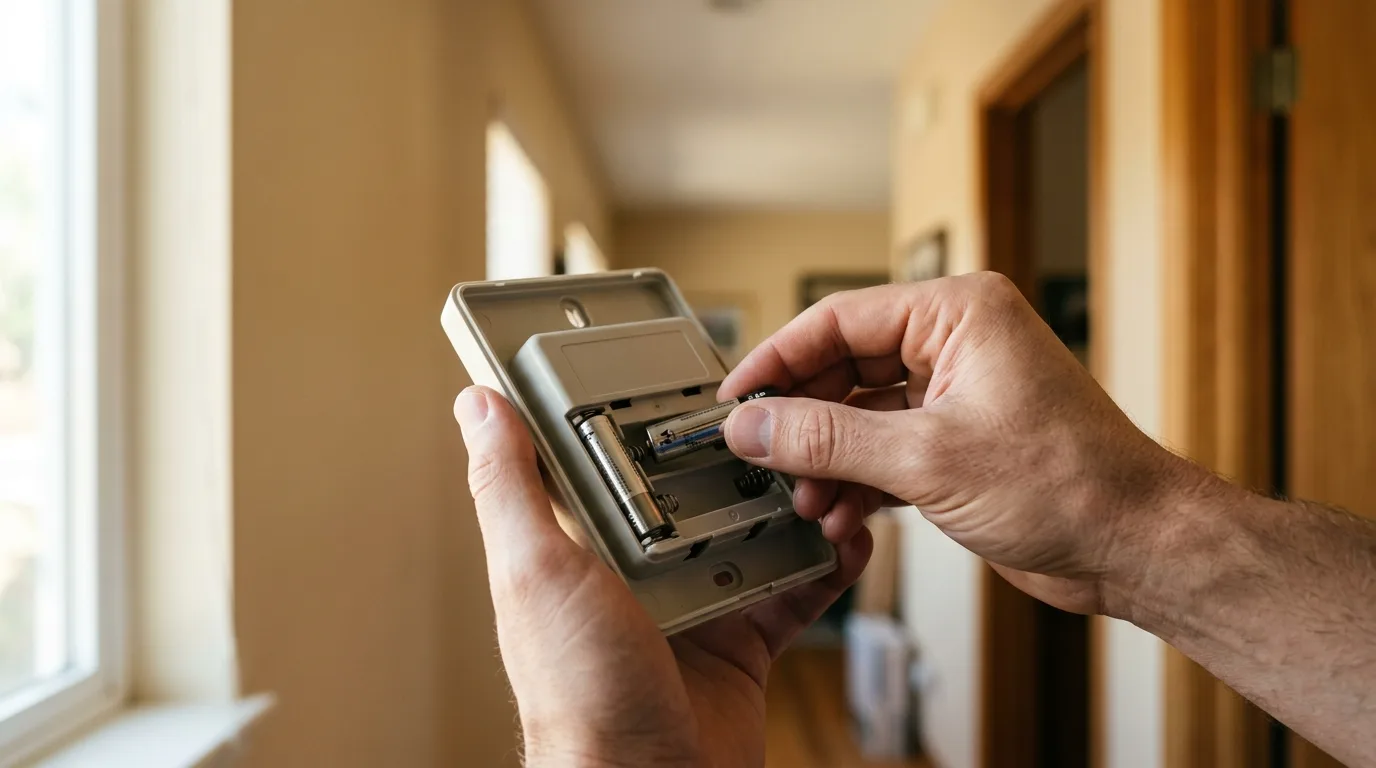
Most non-connected Honeywell models (the Pro Series thermostats a lot of San Diego contractors install as the standard, no-frills option) run on two AA batteries. When they die, the screen doesn’t dim first. It just goes dark. Pop the faceplate off the backplate, swap the batteries, and reattach. That alone clears the majority of blank-screen calls.
If new batteries don’t fix it, work down this list:
- Tripped breaker or furnace switch. Check the breaker feeding your furnace or air handler, and the light-switch-style toggle usually mounted right on or near the unit. If it’s off, both heating and cooling stop, and the thermostat goes dark because the low-voltage transformer that powers it lives inside that equipment.
- Blown low-voltage fuse. Most furnace and air handler control boards have a small blade-style fuse (often 3 or 5 amp) protecting the 24-volt thermostat circuit. It blows if a thermostat wire shorts against bare metal, a duct, or another wire, which happens more often than people expect during a DIY reinstall or after rodent activity in an attic.
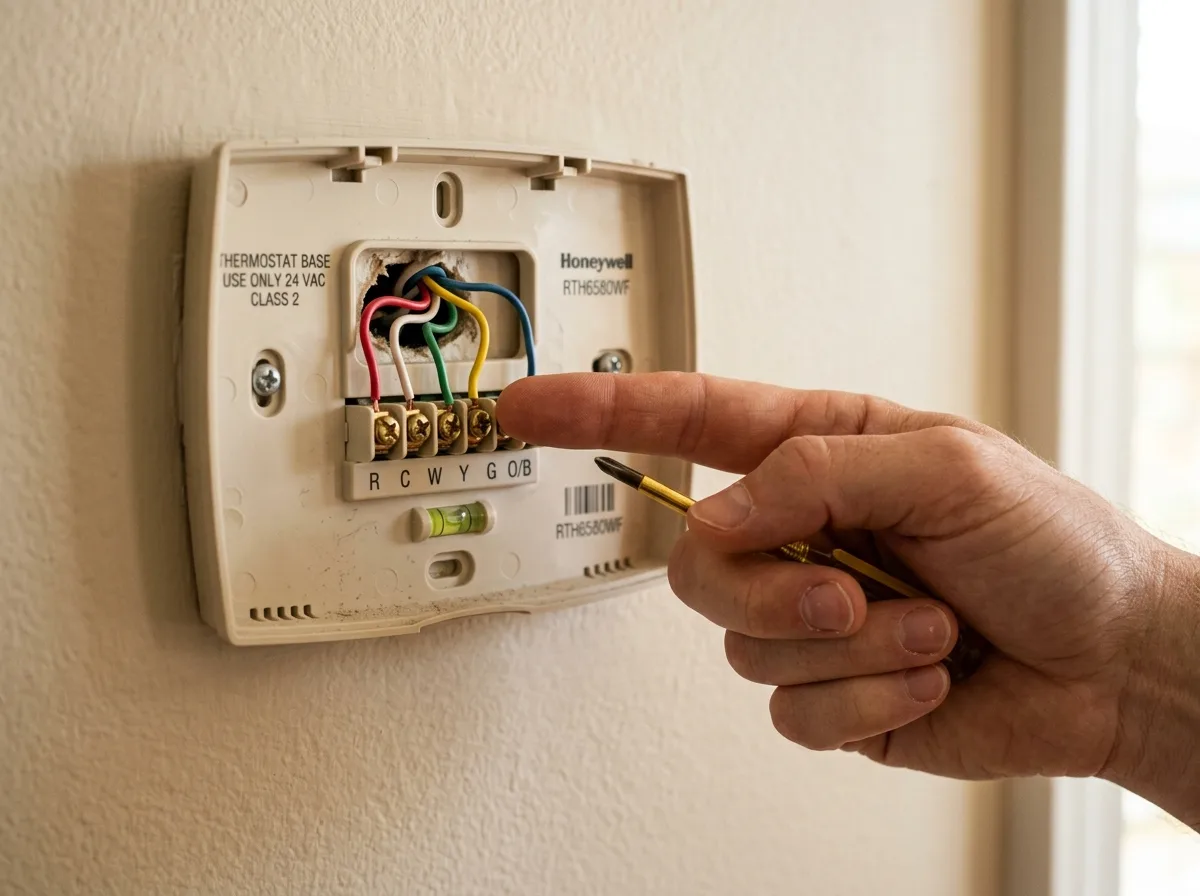
- Loose or disconnected wire at the backplate. Pull the thermostat off the wall and check that every wire is seated firmly in its labeled terminal. A wire that’s backed out a few millimeters looks connected but isn’t.
- No C-wire on a connected model. Honeywell’s Wi-Fi models (T4, T5, T6, T9, T10, Lyric) need continuous power for the radio. Without a dedicated C-wire, some installs “borrow” power through another wire, which can cause a blank or rebooting screen on hot days when the system runs hardest.
If you’ve checked all four and the screen is still dark, the fault is usually inside the equipment, not the thermostat itself, and that’s a job for a technician with a multimeter.
”Cool On” is flashing but the AC isn’t running
This is usually not a fault. Most outdoor AC units and heat pumps have a built-in delay, often 5 minutes, that keeps the compressor from restarting right after it shuts off. It protects the compressor from restarting against high pressure. If your power flickered, or the system just finished a cycle, the thermostat shows “Cool On” the instant it sends the call, even though the outdoor unit is intentionally waiting.
Give it 5 to 10 minutes. If cold air starts moving, nothing was wrong. If “Cool On” is still showing with no airflow after 10 minutes, move to these:
- Breaker at the outdoor disconnect. A separate breaker or pull-out disconnect sits right at the condenser. Confirm it’s on.
- Failed capacitor or contactor. These are the two parts most likely to fail at the outdoor unit, and both stop the compressor from starting even though the thermostat is calling correctly. See our AC capacitor replacement guide for symptoms and cost.
- A wiring fault between the thermostat and the equipment. If the Y wire (the cooling call signal) isn’t making contact at either end, “Cool On” displays on the thermostat but never reaches the outdoor unit.
None of those three are DIY-safe to open up and test. That’s the line where troubleshooting ends and a repair call starts.
How to reset a Honeywell thermostat the right way
The right reset depends on which Honeywell you have, but the order is the same for every model: try the soft reset first, and only factory-reset if that fails.
- Soft reset (every model). Pull the thermostat faceplate off its wall backplate. Wait 30 to 60 seconds. Reattach it. This clears most display glitches without touching any settings.
- Battery-powered models. While it’s off the wall, also remove the two AA batteries for that same 30 to 60 seconds, then reinsert before reattaching the faceplate.
- Connected models (T4 through T10, Lyric). If the soft reset doesn’t clear it, go to Menu (or Settings) and look for Reset, then Factory Reset. This wipes your schedule and Wi-Fi pairing, so only use it after the soft reset fails, and be ready to reconnect it to your home network afterward.
- Still unresponsive? Cut power at the breaker feeding the furnace or air handler for 60 seconds, then restore it. This resets the control board the thermostat talks to, and it solves a surprising number of “dead thermostat” calls that have nothing to do with the thermostat itself.
What Honeywell’s icons and alerts actually mean
Honeywell splits alerts by product line. The battery-powered Pro Series thermostats (the plain ones without a screen full of icons) mostly show a simple battery symbol when it’s time for new AAs, and not much else. They’re built to be dumb and reliable on purpose.
The connected T-series and Lyric models show more: a Wi-Fi symbol that blinks when it loses its connection to your router (this doesn’t stop your heating or cooling, since the thermostat still runs the schedule and calls locally), and a low-battery icon on models that keep AA batteries as backup power even when hardwired. Anything more specific than that gets pushed to the Honeywell Home app instead of the thermostat screen, since the connected models assume you’ll check your phone.
If you see a fault icon you don’t recognize, the Honeywell Home app’s device screen is the fastest way to get the plain-English version. Don’t guess at what an icon means before ruling out the basics above.
When to stop troubleshooting and call a pro
| What you’re seeing | Likely cause | DIY-able? |
|---|---|---|
| Blank screen, batteries confirmed fresh | Tripped breaker, blown fuse, or wiring fault | No, past this point |
| ”Cool On” showing for more than 10 minutes | Compressor lockout, bad capacitor, or wiring fault | No |
| Wi-Fi icon blinking, heating/cooling still working | Router or app connection issue | Yes, check your router |
| Thermostat still dead after a full reset and breaker cycle | Control board or transformer fault | No |
| Screen and settings look normal, but the house won’t reach set temp | Airflow, refrigerant, or duct issue downstream of the thermostat | No |
If you land in a “No” row, the thermostat has told you everything it can. The rest requires opening equipment and testing voltage, and that’s where a misdiagnosis costs more than a service call would have.
Frequently asked questions
Why is my Honeywell thermostat screen blank?
Dead batteries are the most common cause on non-connected models. Check those first. If fresh batteries don’t fix it, check the breaker feeding your furnace or air handler, then the low-voltage fuse on the control board, then whether a wire has come loose at the backplate.
Why does my Honeywell thermostat say “Cool On” but no cold air comes out?
Most of the time it’s a built-in compressor delay, usually 5 minutes, that protects the outdoor unit from restarting too soon. Wait 10 minutes. If nothing changes, the likely causes are a tripped breaker at the outdoor disconnect, a failed capacitor or contactor, or a wiring fault between the thermostat and the equipment, all of which need a technician.
How do I reset a Honeywell thermostat?
Pull the faceplate off the wall for 30 to 60 seconds and reattach it. That clears most glitches. If you have a battery model, pull the batteries during that same window. If it’s a connected model and the soft reset doesn’t work, use Menu > Reset > Factory Reset, which will also erase your Wi-Fi pairing and schedule.
Does a Honeywell thermostat need a C-wire?
Non-connected Pro Series models don’t, since they run on two AA batteries. Connected Wi-Fi models (T4, T5, T6, T9, T10, Lyric) need continuous power for the radio, and a dedicated C-wire is the reliable way to provide it. Installs without one sometimes work using a power-sharing method, but they’re more prone to blank or rebooting screens on high-demand days.
What does the Wi-Fi icon blinking on my Honeywell thermostat mean?
It means the thermostat lost its connection to your home Wi-Fi router, not that your heating or cooling stopped. The thermostat keeps running its schedule and calling for heat or cooling locally. Check your router and the Honeywell Home app before assuming anything is wrong with the HVAC system itself.
When should I stop troubleshooting my thermostat myself and call someone?
Once you’ve confirmed batteries, breakers, and a clean reset and the problem is still there, especially a blank screen or a stuck “Cool On” past 10 minutes, the issue is almost always inside the equipment or the low-voltage wiring, and that needs a technician with a multimeter rather than more guesswork.
Related service: AC installation. Local coverage: all 67 cities we cover in San Diego County.
Not sure this is your symptom? Our HVAC symptom finder matches what the system is actually doing to the likely cause.
Where to start
Batteries first, breaker second, reset third. That order clears most Honeywell thermostat problems in San Diego without ever touching the actual heating or cooling equipment. If you’ve worked through this list and the thermostat is still dead, or “Cool On” won’t clear, the fault has moved from the thermostat to the equipment behind it.
For the brand-agnostic version of this checklist, see thermostat not working: what to check before calling a tech. If your Honeywell is a connected model losing its cooling call specifically, our smart thermostat says cooling but no air guide covers the C-wire and app side in more depth. Considering an upgrade instead of another repair? Our smart thermostat installation guide walks through the options.
Climate Pros SD connects San Diego homeowners with vetted local HVAC contractors for thermostat diagnostics, wiring repairs, and installs. See our thermostat installation service page, or if the issue turns out to be the equipment itself, our AC repair service page. Call (442) 777-6440 for a straight answer about what’s actually wrong. This guide is general information, not a substitute for an in-person diagnosis.