If your White-Rodgers thermostat shows cooling but the rooms stay warm, start with the display, not the wall plate. The screen and the system’s response can narrow the problem without touching wiring. Climate Pros SD isn’t White-Rodgers and doesn’t claim manufacturer authorization.
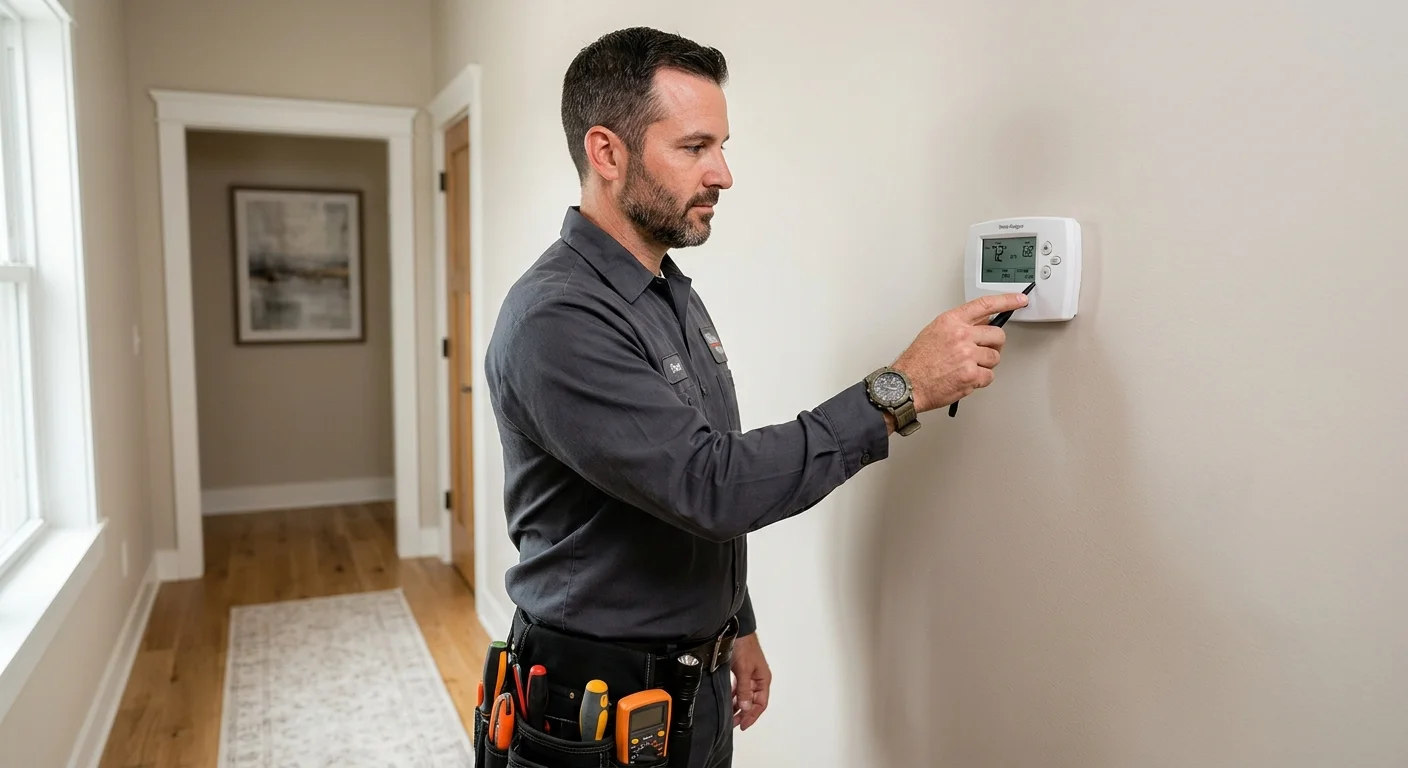
White-Rodgers shows Cool: watch the system, not only the LCD
If the display looks correct and the condenser is silent, the fault is likely wiring, a float switch, or the HVAC equipment. Climate Pros SD is not White-Rodgers. Many San Diego White-Rodgers controls are still battery powered. Dead batteries mimic a failed AC.
Checklist
- Replace batteries first.
- See thermostat not working.
- See Honeywell troubleshooting.
- Use thermostat installation.
- Use AC repair if the outdoor unit never starts.
Related: CSLB license check before you authorize control work.
What does the thermostat display show?
Start by recording exactly what’s visible before changing any setting. Take a clear photo showing the entire screen. That record helps if a word, symbol, or number disappears later.
Write down these details:
- The displayed room temperature
- The selected temperature
- The operating mode shown
- The fan setting shown
- Any unfamiliar word, symbol, or code
- Whether the screen looks blank, faint, or incomplete
Don’t assign a meaning to an unfamiliar code from a random search result. The correct meaning depends on the exact model and its official manual. A similar-looking thermostat may use different controls or messages.
Next, make one ordinary change using the visible controls. Note whether the screen accepts it and whether the displayed status changes. Don’t enter installer menus or copy a reset sequence from another model. Those steps aren’t confirmed without the matching manual.
The display provides evidence, but it doesn’t identify the failed component. A normal-looking screen doesn’t prove the thermostat or cooling equipment works. A blank screen also doesn’t prove the thermostat itself has failed.
Our broader thermostat troubleshooting guide can help you organize these observations. Keep your White-Rodgers model information separate so instructions don’t get mixed.
Location also helps describe the cooling demand. NOAA’s 1991-2020 normals list an August high of 71.3°F at Oceanside Marina and 88.6°F in El Cajon. Tell the pro where you live and what the thermostat showed when cooling stopped.
Which checks don’t expose wiring?
Keep the first round of White-Rodgers thermostat troubleshooting limited to visible controls and room conditions. Confirm that the displayed mode says cooling. Check that the selected temperature matches what you intended.
Look at the fan setting, but don’t assume it explains the problem. Record the setting so a pro can compare it with the system’s behavior. Then walk through the home and note what you feel at several vents. Report whether there’s no airflow, room-temperature airflow, or cooler airflow that seems unusually weak.
Check for simple obstructions around the thermostat and vents. Furniture, curtains, boxes, and closed interior doors are easy to observe without opening equipment. Don’t remove the thermostat from the wall or open an HVAC cabinet during this check.
If the thermostat is already connected to an app, compare the app’s visible setting with the wall display. Don’t add new equipment settings or follow an unrelated online reset. Our smart thermostat cooling guide explains how to record app and screen behavior without assuming the thermostat caused the failure.
From outside, listen for the system behavior you normally recognize. Note whether indoor airflow begins and whether the outdoor equipment sounds different than usual. Observation is enough. Leave internal electrical, control, and equipment checks to the licensed contractor.
Write your findings in order. Include what you changed, what appeared on the display, and how the system responded. That short timeline is more useful than repeatedly changing several settings at once.
How can an equipment fault resemble thermostat trouble?
A thermostat display is only one part of the cooling system. The symptom may appear at the thermostat even when the problem lies elsewhere. The screen can show the requested setting while the equipment response remains incomplete.
That’s why the airflow pattern matters. No airflow, warmer airflow, and cooling that starts but doesn’t continue are different observations. None identifies a failed part by itself. Each gives the contractor a better starting point.
A licensed pro can compare the thermostat’s output with the HVAC controls and equipment response. The inspection may cover the thermostat, control circuit, indoor airflow, and outdoor equipment. Testing determines whether the thermostat is sending the expected signal and whether the system responds to it.
What looks like White-Rodgers thermostat repair may therefore become an equipment diagnosis. Replacing the wall control without testing could leave the original symptom unchanged. The reverse is also possible: equipment may respond correctly when tested, directing attention back toward the thermostat or its setup.
San Diego County’s local conditions can change how the symptom presents. Coastal homes may face milder outdoor conditions than inland homes during the same afternoon. Heat waves can also run well above local normals. Geography still doesn’t identify the failed component.
If the thermostat appears responsive but the house isn’t cooling, review the wider AC repair service options. Climate Pros SD can connect you with an independent licensed contractor who tests the complete symptom instead of judging the screen alone.
Where can you find the model-specific manual?
Begin with the exact model identifier, not the White-Rodgers name alone. Look for it on the visible front, an accessible information screen, existing paperwork, packaging, or a connected app. Photograph the identifier exactly as printed, including letters and punctuation.
If the model isn’t visible, don’t remove the thermostat merely to search behind it. Give the photos and any installation paperwork to the manufacturer’s support team or a licensed HVAC pro. They can help identify the correct documentation.
Search the exact identifier with the words “official manual.” Confirm that the publisher is the manufacturer’s official support source. Then compare the model number on the document with your photo. A reseller page, discussion thread, or manual for a similar-looking control isn’t enough.
The official model manual is the proper source for button functions, display symbols, configuration options, and reset instructions. No exact model manual was supplied for this page. Therefore, no model-specific error meaning or reset sequence can be confirmed here.
If an online instruction skips the model number, treat it as unconfirmed. Save the page address rather than following it. A contractor can compare that information against the identified thermostat and connected HVAC system.
Climate Pros SD is an independent referral service. It isn’t White-Rodgers, and it doesn’t provide manufacturer-authorized support. For model documentation, use the official manufacturer source. For diagnosis involving HVAC controls or equipment, use an independent licensed professional.
When should an independent licensed pro test it?
Arrange professional testing when visible checks don’t explain the no-cooling symptom. That includes a cooling setting with no equipment response, airflow that doesn’t become cool, or display behavior that keeps changing without an obvious reason.
Professional testing also makes sense when the next step would require removing the thermostat, opening equipment, accessing wiring, or measuring control voltage. Stop at the boundary between observation and internal diagnosis. Bring your screen photos, model information, and timeline.
California’s C-20 HVAC contractor scope includes thermostatic controls connected with HVAC systems. Every HVAC pro in the Climate Pros SD network is licensed and insured. You can also verify a contractor through the CSLB license check before agreeing to work.
Ask the contractor to identify which component isn’t responding before discussing a replacement. If testing isolates the wall control or its setup, review our thermostat installation service. If the thermostat sends the expected command but cooling equipment doesn’t respond, the contractor can continue with system diagnosis.
The homeowner contracts with and pays the independent contractor directly. Climate Pros SD doesn’t perform repairs, set prices, provide warranties, or make decisions for the contractor. Ask the matched pro to explain the findings, proposed work, price, and any manufacturer terms before authorizing service.
When to call us
Call when visible settings and observations don’t explain why cooling won’t start. A licensed HVAC pro should handle testing that reaches wiring, controls, or the heating and cooling equipment. Call us at (442) 777-6440 and we will match you with a licensed local pro.