Smart home HVAC in San Diego works when three things agree: a thermostat your speakers and phones already speak, a schedule that matches how the household moves, and time-of-use settings that respect SDG&E on-peak hours. Get the ecosystem wrong and you fight the app daily. Invent a savings percent and you will be disappointed.
Climate Pros SD refers you to licensed, independent HVAC professionals for thermostat installation. We do not hang stats, pull C-wires, or set your Google Home.
Which thermostat fits which ecosystem?
| Ecosystem | Common fit | Skip if |
|---|---|---|
| Apple HomeKit | Current Ecobee (HomeKit / Matter) | Nest (no HomeKit) |
| Google Home | Nest Learning or Nest Thermostat | You need HomeKit |
| Amazon Alexa | Ecobee (some with built-in Alexa) or Honeywell | You refuse Amazon accounts |
| Local hub (Hubitat, similar) | Models with local or Matter paths | Cloud-only Nest if you want the hub in charge |
| Matter-first | Current Matter thermostats the pro confirms | First-gen Matter devices with broken bridges |
Ecobee is the widest consumer-platform net. Nest is deepest inside Google and a dead end for HomeKit.
How should San Diego commuters use geofencing?
Geofencing changes setpoints from phone location. Marine-moderated coastal days forgive a late start more than an inland afternoon. That is comfort, not a dollar forecast.
One phone. Away when that phone leaves a radius you set. Home when it returns. Fine for one occupant.
All phones out. Away only when every enrolled phone has left. Better for families.
Schedule plus geofence. Base commute hours on a clock. Let location override when someone is home sick or works from the couch.
Set the radius wide enough that a grocery run does not flip the house to away. There is no verified annual savings figure for geofencing in our claims file. Use it because empty-house setbacks are honest, not because an article invented a payoff.
When does voice control actually matter?
Voice helps when walking to the hallway stat is hard: older adults, mobility limits, a sick day in bed. “Alexa, set the thermostat to 72” needs the device named the way people talk.
Patterns that work:
- Ecobee with a built-in speaker, in the room you occupy.
- Existing Echo or Google speakers talking to a compatible stat.
- A display hub if you already own one.
CDC heat guidance for older adults is about staying in air-conditioned space in very hot weather, not a voice-skill requirement. Individual medical settings belong with a clinician.
How should SDG&E time-of-use change the automation?
Current listed SDG&E residential time-of-use plans use a 4 p.m. to 9 p.m. on-peak period. Confirm your plan. Do not publish cents per kWh from memory. CCA customers pay CCA generation plus SDG&E delivery. Displayed energy prices on SDG&E’s captured plan page exclude the monthly Base Services Charge.
SDG&E suggests precooling earlier in the day, then 78F or higher from 4 to 9 p.m., health permitting. No guaranteed savings. No mandated 70F precool.
Automation that matches that guidance:
- Cool earlier while energy is off-peak on your plan.
- Let the house drift during the peak window if people can stay comfortable.
- Keep a guest or heat-wave override so nobody disables the whole automation.
Stack geofencing with TOU only if both match real life. More on cooling cost: how to lower your AC bill in San Diego summer.
What does setup actually involve (without a price table)?
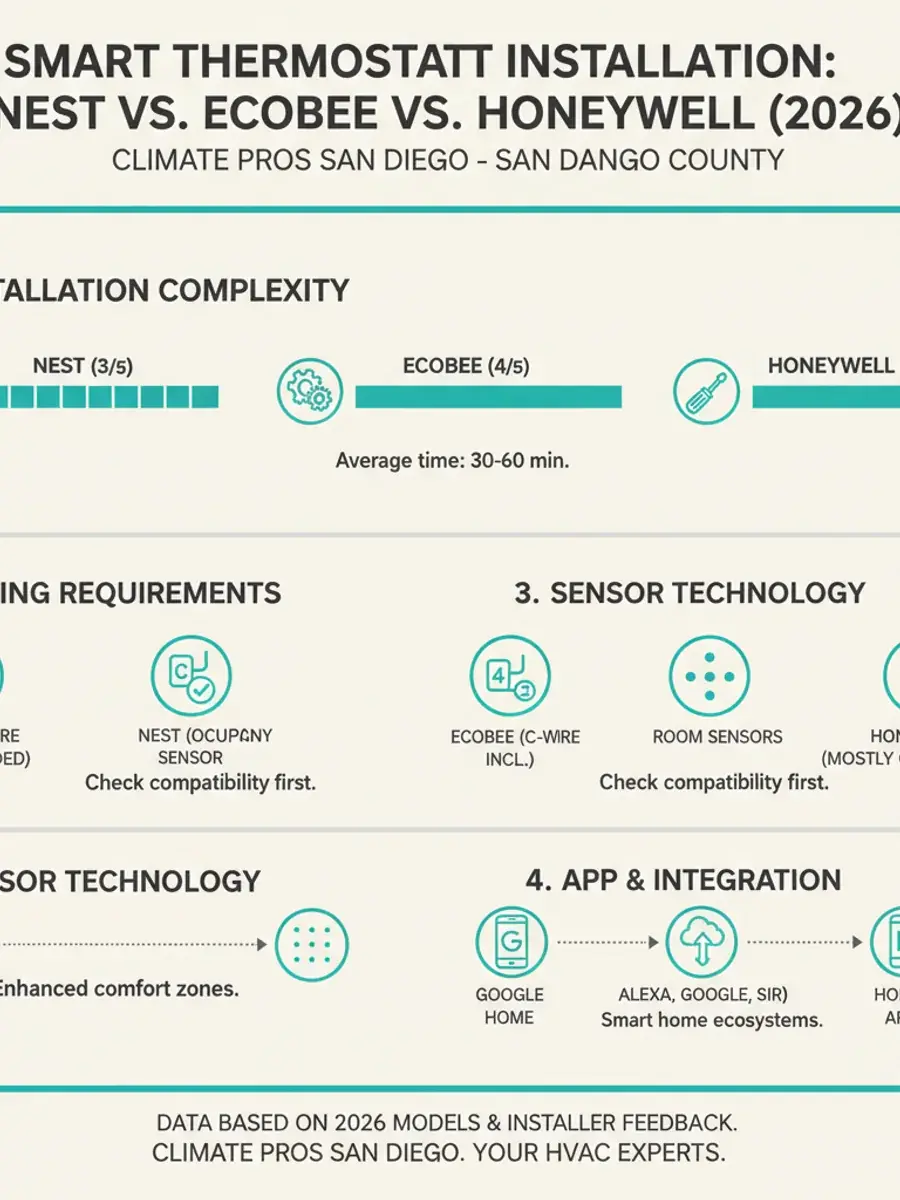
You will typically buy a thermostat, maybe sensors, maybe speakers you already own, and labor if a licensed HVAC pro (and sometimes an electrician for a true C-wire) does the work. Climate Pros SD publishes none of those prices.
The C-wire question still dominates older San Diego houses. Details: smart thermostat installation guide.
SDG&E Golden State Rebates retail offerings have ended. Recheck sdge.com rather than assuming a thermostat rebate.
Federal 25C does not apply to property placed in service after December 31, 2025. TECH single-family heat pump HVAC incentives stopped new reservations on November 14, 2025. HEEHRA single-family rebates were fully reserved as of February 24, 2026. A thermostat is not those programs.
What privacy tradeoffs should you expect?
Nest / Google. Occupancy and temperature history sit in a Google account.
Ecobee. Similar telemetry, with more visible research opt-in.
Honeywell. Often a thinner data posture than Google.
Local hubs. Data can stay on the LAN if you build it that way. Steeper setup.
Pick the privacy you can live with. None of it is a cooling specification.
What is usually not worth chasing?
Learning schedules that copy what you would have typed in ten minutes. Voice fan-speed tricks. Asking a thermostat to out-think a variable-speed outdoor unit’s own board. Weather-based setpoints that surprise you when the forecast is wrong.
Do not replace working ducts just to add Wi-Fi. ENERGY STAR’s 20% to 30% typical duct leakage figure is about sealing, not about buying a hub.
How do you decide?
Apple household: Ecobee, skip Nest.
Google household: Nest, unless you need sensors or HomeKit.
Alexa household: Ecobee or Honeywell plus the Echos you already have.
Privacy-first: Honeywell plus a local hub, if you will maintain it.
DIY Home Assistant: only if you will own the breakage.
Ask the contractor: C-wire plan, equipment compatibility, sensors on the same visit, hub pairing, and whose warranty covers a misconfigured heat pump. Brand comparison: Nest vs Ecobee.
FAQs
Which smart thermostat works with HomeKit?
Current Ecobee models and some Honeywell and Matter devices. Nest does not.
Will a smart thermostat save money in San Diego?
It can lower runtime if you actually use setbacks and 4 to 9 p.m. awareness. Used like a manual slider, it saves nothing you can count. We do not publish a yearly dollar range.
Do I need a C-wire?
Most models prefer one. Kits and power-stealing exist. The licensed installer should say which is safe on your board.
Can I control the AC with Alexa or Google?
Yes, if the thermostat supports that platform. Commands are usually setpoint, mode, and status.
Does SDG&E still rebate smart thermostats?
Do not assume yes. Golden State retail rebate offerings have ended. Read the live SDG&E page.
Related: AC repair, AC installation, 67 cities.
When to call
Picking a platform, stuck on a C-wire, or aligning a schedule with your SDG&E plan: call (442) 777-6440 and we will match you with a licensed HVAC pro.