A maintenance log keeps your HVAC history in one readable place. It helps you describe changes, find equipment details, and share useful context before service. The best log is simple enough to update without turning recordkeeping into another chore.
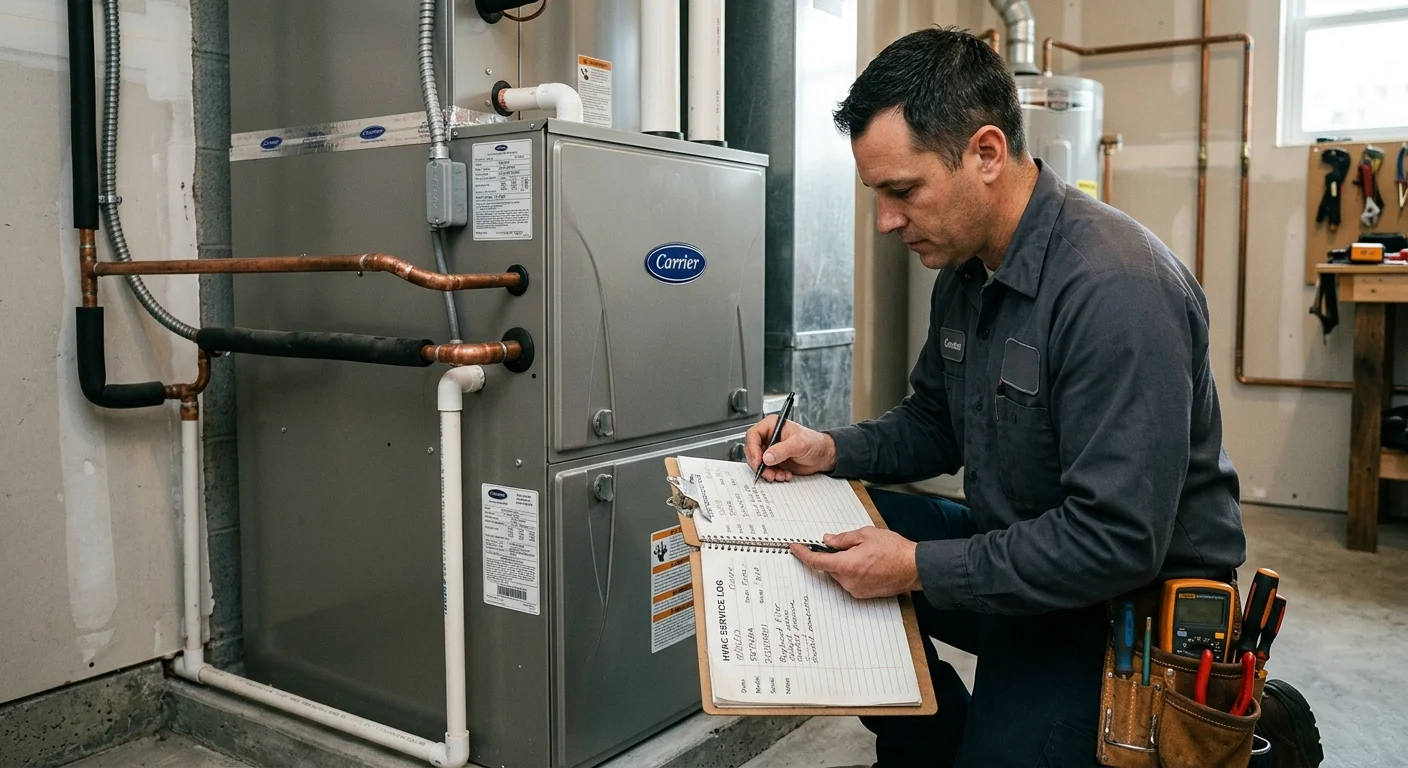
A useful HVAC log is dates, models, and readings
Record filter changes, contractor visits, model/serial, and any temperature split or error codes. Skip essays. The next technician needs identifiers, not a narrative. San Diego homes change hands often. A log in the air-handler cabinet survives better than a text thread.
Checklist
- Tape a card with model and filter size inside the cabinet door.
- Photograph the data plate once.
- See deferred maintenance ranking.
- See Scripps Ranch maintenance.
- Use HVAC maintenance.
Related: Landlord AC rules if the property is a rental.
What should an HVAC maintenance log record?
Start with one page for each heating or cooling system. A notebook works, but a spreadsheet or notes app is easier to search. Keep photos of labels and service documents in the same folder.
Record these details at the top:
- Equipment type and location
- Manufacturer, model number, and serial number
- Thermostat model
- Filter size and airflow arrow direction
- Installation date, if confirmed by your records
- Contractor details from completed service paperwork
Add a dated entry whenever you change a filter, notice a symptom, or receive service. Write what happened without trying to diagnose it. “Upstairs felt warm after sunset” gives a pro more useful context than “AC broken.”
For completed work, copy the description from the contractor’s invoice. Note any parts listed, settings changed, and follow-up instructions. Don’t rewrite technical language from memory. Keep the original document or a clear photo beside the entry.
Your log can also track questions for the next visit. The HVAC maintenance service guide explains what homeowners can discuss with a contractor. For model-specific tasks, follow the manufacturer’s instructions and guidance from a licensed pro.
Avoid filling the page with assumptions. If you don’t know when equipment was installed, write “not confirmed.” That’s more useful than a guessed date that may confuse the next person reading the record.
How do model numbers and filter sizes help?
Model and serial numbers help identify the exact equipment in your home. Put them in the log before a label fades or becomes difficult to reach. A photo is useful, but type the numbers into the log too. Searchable text is easier to share during a call.
Check the indoor and outdoor equipment separately. A central system may have labels on more than one cabinet. Don’t assume every component has the same model information. Record where each label appears, such as “outdoor unit beside garage” or “indoor cabinet in hallway closet.”
Filter details deserve their own line. Write the dimensions exactly as printed on the filter or cabinet label. Also note where the filter sits and which way its airflow arrow points. If more than one return uses a filter, list each location separately.
Record the product description rather than relying on packaging color. Similar-looking filters can have different dimensions or ratings. Manufacturer instructions and a licensed professional should guide your selection. Don’t change filter specifications based only on a general online chart.
Write each filter change as a dated entry. If the old filter looked unusually dirty, photograph it and note what was happening nearby. Open windows, remodeling dust, smoke, and pets are useful observations when they actually apply to your home.
Our filter and maintenance guidance can help you prepare questions for a local pro. Your log supplies the details needed for a more focused conversation.
Which symptoms should you note before service?
Good symptom notes describe what you observed, where it happened, and what the system was doing. They don’t need a technical diagnosis. A short timeline often helps more than a long theory.
Start with the date and approximate time. Record the thermostat mode and displayed setting. Note whether the issue affected one room, one floor, or the whole home. If you heard a sound, describe its pattern and location. “Three clicks near the hallway cabinet when cooling starts” is clearer than “strange noise.”
For airflow or comfort problems, name the affected rooms. Note whether doors, windows, and vents were open or closed. If the system stopped and restarted, record what you saw without repeatedly changing controls.
Photos and short videos can preserve details that disappear before service. Capture visible water, ice, thermostat messages, or unusual movement from a safe distance. Don’t open electrical panels or remove equipment covers to improve the picture.
Keep a separate line for changes you made. That might include replacing a filter, changing thermostat batteries, or returning a setting to its prior position. Exact notes prevent the pro from treating your test as part of the original symptom.
A professional AC tune-up and a repair visit serve different purposes. Your maintenance log helps explain whether you’re scheduling routine care or reporting a specific change. If equipment appears damaged or you’re unsure what’s safe to touch, stop testing and speak with a licensed HVAC pro.
How do coastal and inland conditions change the notes?
San Diego County conditions aren’t identical from one home to another. Coastal areas generally have milder temperatures than inland valleys. Your log should record what happened at your property instead of assuming an Encinitas home behaves like one in El Cajon.
For a coastal home, note visible residue or corrosion only when you actually see it. Record the component, date, and location. Don’t label the cause yourself. A licensed pro can inspect the equipment and explain whether the observation matters.
For an inland home, temperature-related notes need context. Write which rooms became uncomfortable, when that happened, and whether direct sun reached those spaces. Include changes to shades, windows, or thermostat settings. Those details create a useful comparison across later entries.
Other parts of the county need their own context. A Julian property may use heating differently from a South Bay home. A house near active construction may collect visible dust that another property doesn’t. Record actual conditions, not broad neighborhood assumptions.
Smoke, dust, and weather can also affect what you notice indoors. Write the date and the observable change. Avoid claiming that an outdoor event caused an HVAC problem unless a professional confirms the connection.
Your home HVAC maintenance history becomes more helpful after it spans different conditions. Review older entries before changing your routine. Our San Diego HVAC maintenance schedule guide explains why timing should follow the equipment, manufacturer instructions, and professional guidance instead of a universal interval.
When should you share the log with a licensed pro?
Share the log when you schedule maintenance, report a recurring symptom, or discuss replacing equipment. Send only the pages connected to that system. Remove personal information that the contractor doesn’t need.
Lead with the current problem, then provide the history. Tell the pro when the symptom started and whether it has changed. Point out earlier entries with similar behavior. A long file is easier to review when the relevant dates are clearly marked.
Bring the log to routine service too. Ask the contractor to identify the equipment they inspected and describe completed work on the invoice. Afterward, add that information to the record without changing their wording. If the contractor recommends a future task, note the recommendation and who made it.
Keep estimates, invoices, and manufacturer documents separate from your own observations. Label each file with its date and source. This distinction prevents a homeowner note from being mistaken for a technician’s finding.
Before hiring, confirm the contractor’s license through the California Contractors State License Board. Climate Pros SD is a referral service that matches homeowners with licensed, independent local HVAC professionals. The homeowner contracts with and pays the professional directly.
A useful air conditioner service record won’t replace an inspection. It gives the licensed pro a cleaner starting point and keeps your household from losing important details between visits.
When to call us
Call when a symptom repeats, equipment information is unclear, or your log points to a change that needs professional inspection. Climate Pros SD can connect you with an independent licensed HVAC professional serving San Diego County. Call us at (442) 777-6440 and we will match you with a licensed local pro.