A Toshiba AC that runs without cooling needs a clear symptom report first. Note what the system does, check its visible controls, and leave internal testing to a licensed HVAC professional.
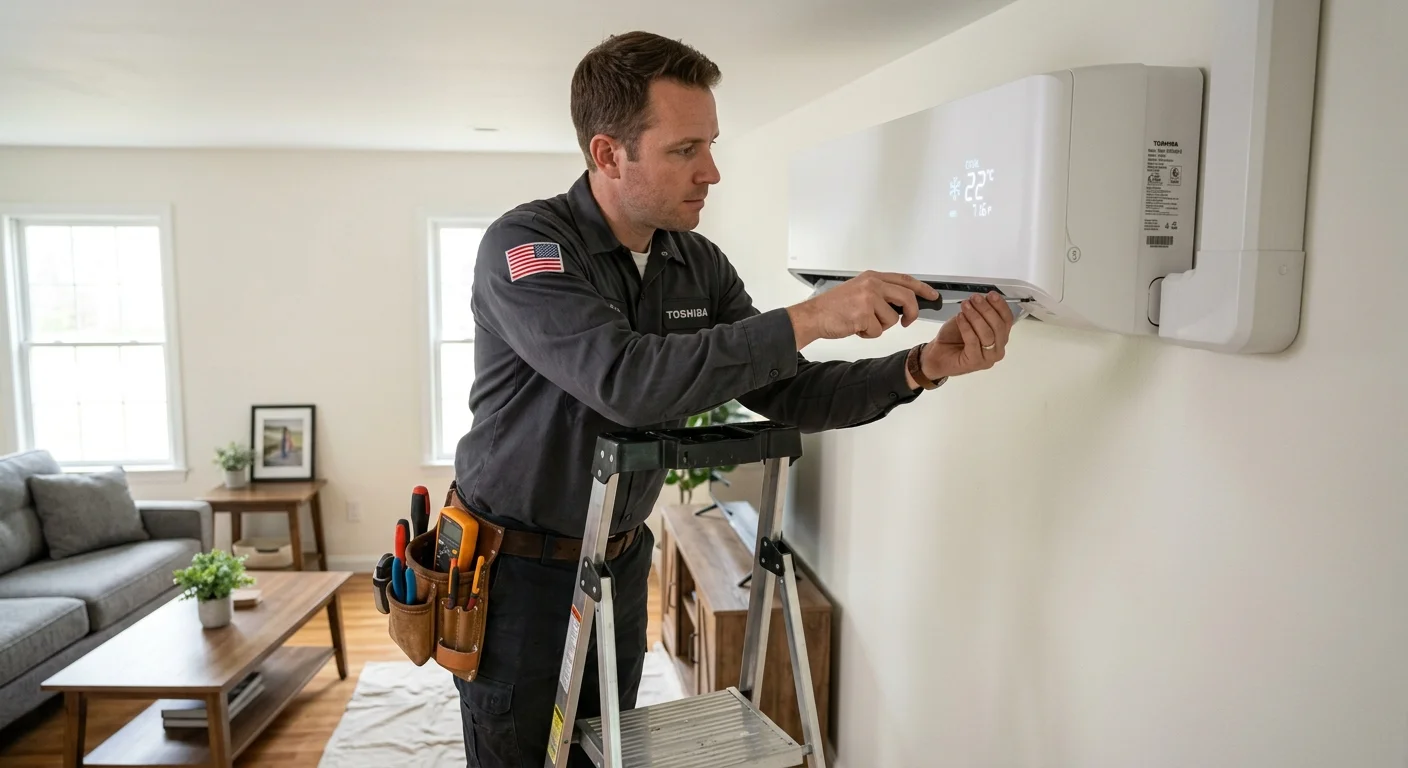
Toshiba no-cool: symptom report before parts
Climate Pros SD is not Toshiba factory service. Write mode, error code, and whether the outdoor fan runs. Leave sealed-system work to a licensed C-20. Error codes differ by series. A photo of the indoor display is more useful than a guessed capacitor.
Checklist
- Photograph the indoor display.
- See Fujitsu not cooling for a similar first-check path.
- See AC not cooling checklist.
- Use AC repair.
- Use HVAC brand repair guide.
Related: Mini split repair only after diagnosis says the head or condenser is the failed piece.
What does the no-cooling symptom tell you first?
“Toshiba AC not cooling” can describe several different situations. The indoor unit may be silent. It may move air that doesn’t feel cool. It may start, stop, or cool one room while another remains warm.
Begin by recording what you can see and hear. Don’t assign a cause yet. These details help a contractor separate a control problem from an equipment problem.
Write down whether:
- The indoor unit responds when you change the controller setting.
- Air comes from the indoor unit.
- The air feels unchanged after the system begins running.
- Every indoor unit has the same problem.
- A light, symbol, or message appears on the controller.
- Water, frost, staining, or physical damage is visible.
- The sound differs from the system’s usual operation.
Copy any displayed message exactly. Don’t use a code definition from another Toshiba model. Similar-looking controllers and equipment can use different instructions.
Location also matters in San Diego County. Coastal areas have milder temperatures than inland valleys. A loss of cooling may therefore feel very different in Oceanside, central San Diego, or El Cajon. Tell the pro which rooms are affected and whether afternoon sun changes the problem.
For a broader symptom checklist, see our guide to an AC that isn’t cooling. Toshiba AC repair still requires the exact equipment information, not just the general symptom.
Which checks don’t require opening the unit?
Keep your first checks outside the equipment. You can gather useful information without removing a panel, touching wiring, or entering a service menu.
Start at the controller. Record the selected operating mode, displayed temperature, fan selection, and any visible schedule. If the display is blank, record that too. The blank display is an observation, not a diagnosis.
Next, stand near the indoor unit and compare rooms. Note whether airflow is present and whether it feels similar across multiple indoor units. If only one room has trouble, include that distinction when requesting service.
Look around the equipment from an ordinary access path. Record anything plainly visible, including:
- Furniture or stored items directly blocking the indoor airflow path.
- Leaves or objects resting against an accessible outdoor unit.
- Water beneath the indoor unit.
- Frost visible without moving a cover.
- A loose or visibly damaged controller.
- A breaker handle that appears different from neighboring handles.
This checklist doesn’t include reset sequences. It also stops before covers, electrical parts, drain components, and refrigerant connections. Those steps require model-specific instructions and professional judgment.
Take a short video if the unit makes an unusual sound. Photograph any display message and the room where cooling has changed. These records can be more useful than describing the sound from memory.
If the equipment is ductless, our San Diego mini-split repair guide explains what information helps with a service request. It applies to general ductless symptoms without assigning a Toshiba-specific fault.
How can a control issue resemble an equipment fault?
A controller tells the system what operation you want. A displayed setting doesn’t prove that every component received or followed that request. That difference can make a control issue resemble a failed air conditioner.
Record the complete screen instead of focusing on one number. The selected mode, schedule, fan setting, and room assignment can all matter. If several indoor units share one system, note whether their controllers show different settings.
Avoid guessing what unfamiliar symbols mean. A snowflake-shaped icon may appear obvious, but the exact controller manual remains the right source. The same caution applies to timers, locks, group controls, and error messages.
The most useful comparison is simple:
- Does the controller display change when you make a normal selection?
- Does the indoor unit respond in any visible or audible way?
- Do other connected indoor units respond differently?
- Does the problem return under the same displayed settings?
Give those observations to the contractor. Don’t clear a message solely to make the display look normal. Preserving the exact message can help the pro identify the correct documentation.
A contractor may determine that the controls need attention rather than the cooling equipment. Another system may need equipment testing. Homeowner observations can narrow the starting point, but they can’t confirm either result.
If you’re considering a different ductless setup, review our mini-split installation service. Installation questions and repair diagnosis are separate decisions.
Where can you find the exact Toshiba manual?
The correct manual starts with the exact model identifier. “Toshiba mini split” isn’t specific enough because the indoor unit, outdoor unit, and controller may carry separate identifiers.
Photograph any exterior model label that’s clearly visible on the closed equipment. Capture the whole label instead of copying selected characters. A letter, space, or suffix may separate one document from another. If the label isn’t visible without moving a cover, let the contractor locate it.
Search Toshiba’s official support or HVAC documentation using that complete identifier. Confirm that the document matches your region, equipment type, and model. The manual title should identify the relevant unit or controller. Don’t substitute a reseller page, forum post, or video for the official document.
Climate Pros SD couldn’t confirm one universal Toshiba manual that applies to every system. Toshiba or the matched contractor sets the correct documentation path for a specific model. This page therefore doesn’t publish error-code meanings, reset instructions, warranty terms, or internal repair steps.
Save these items for the service conversation:
- Photos of visible equipment labels.
- A photo of the full controller screen.
- The controller’s visible model identifier, if present.
- The wording of any displayed message.
- A list of affected rooms or indoor units.
- Notes about airflow, sound, water, or frost.
Our San Diego HVAC brand repair guide explains why the model and system layout matter. Climate Pros SD isn’t Toshiba and doesn’t claim manufacturer authorization.
When should an independent licensed pro inspect it?
Arrange an inspection when normal control checks don’t restore cooling, the symptom keeps returning, or the unit shows visible water, frost, damage, or an unfamiliar message. A pro should also inspect a system that has lost airflow, stops repeatedly, or behaves differently across connected indoor units.
The California Contractors State License Board describes C-20 work as installing, maintaining, servicing, and repairing air-conditioning systems and their connected controls. You can verify a contractor through the CSLB license check.
Climate Pros SD is a referral service. We match San Diego County homeowners with licensed and insured independent HVAC professionals. The homeowner contracts with and pays the matched professional directly.
Before approving work, ask the contractor to identify the exact indoor unit, outdoor unit, and controller involved. Ask what testing supports the diagnosis and which document applies to that model. You should also hear the proposed price before work begins.
Ask what the contractor’s diagnostic fee is and whether it applies toward the repair. Each company sets its own policy. Any warranty terms should come directly from the contractor or manufacturer in writing.
A Toshiba ductless AC problem may involve one indoor unit or a shared system. Tell the pro whether every zone is affected. That distinction helps frame the inspection without pretending to diagnose the equipment remotely.
Climate Pros SD can connect you with a local professional for AC repair. The contractor can then inspect the system and explain the available next steps.
When to call us
Call when the Toshiba system still isn’t cooling after the visible checks, or when the problem needs internal testing by a licensed HVAC pro. Call us at (442) 777-6440 and we will match you with a licensed local pro.